

A little more you. In every recipe.
Recipes,
made yours.
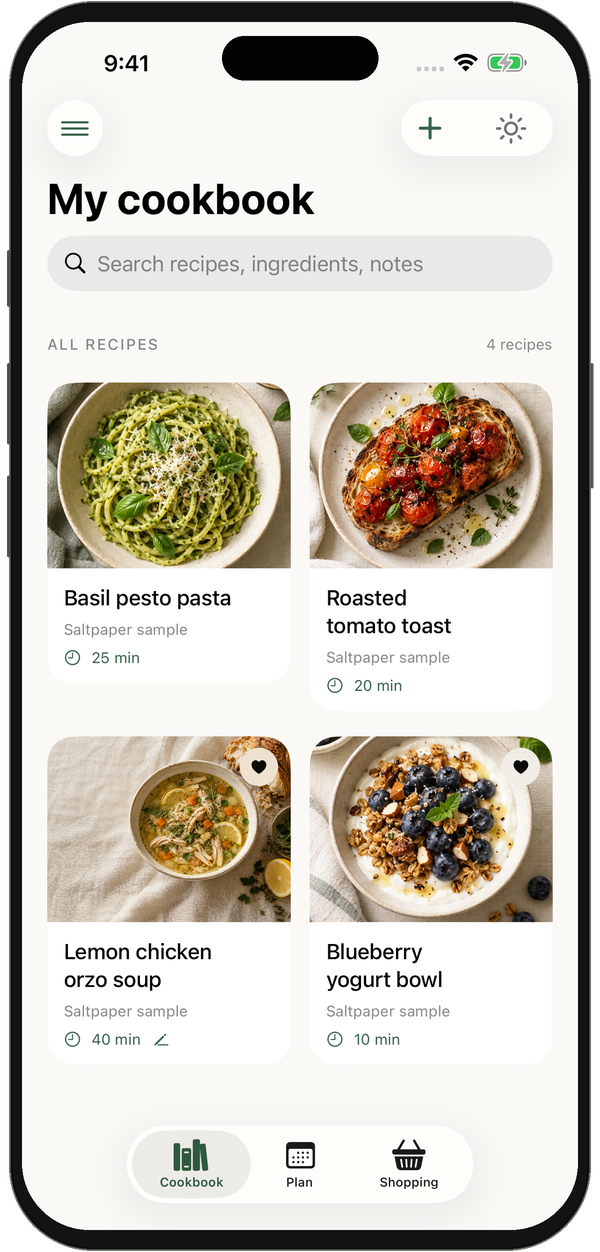
Save the recipes you love. Keep your own versions, notes, and everything you need to cook them again.
Download for iPhoneMade for iPhone · iOS 26 or later
a little more you.
A home for your favorites.
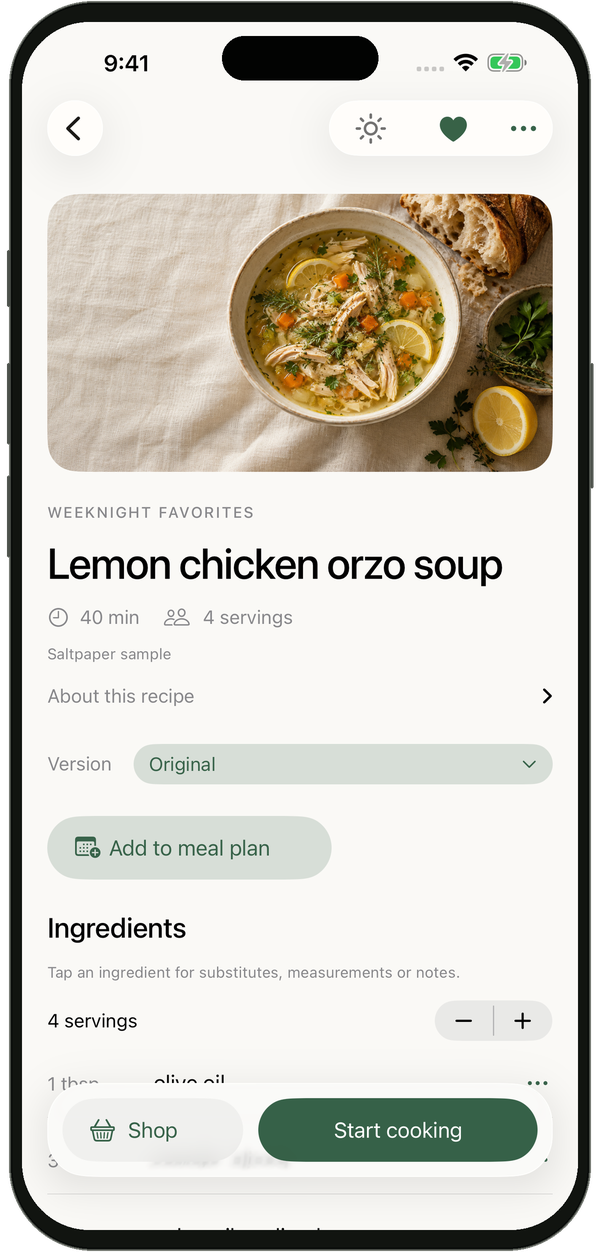
Room for your little changes.
Ready for real life.
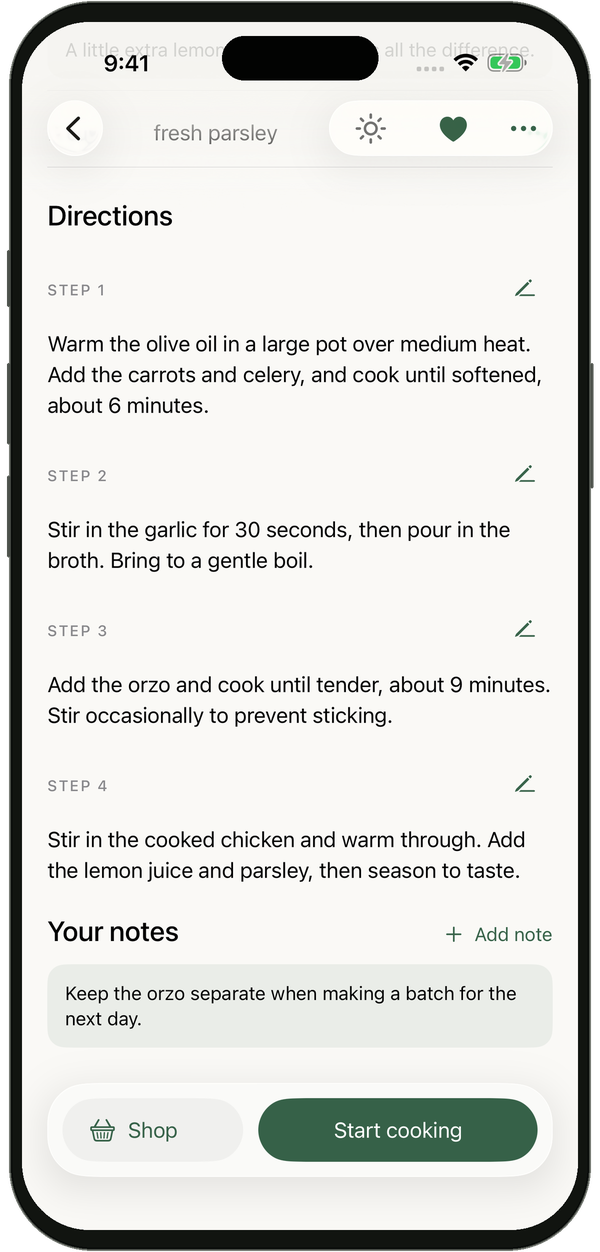
“More lemon next time.
Definitely make it again.”
The best recipes evolve
Keep the original.
Make it your own.
Less garlic. A little more lemon. A version everyone asks for. Your best ideas deserve to stay with the recipe.
Your original, always there.
Save changes as a separate version. Come back to the source whenever you like.
Good notes make great cooking.
Type a note or write it by hand. Keep the details that make a dish yours.
A little help when you want it.
Ask for a substitution or recipe adjustment. Review the suggestion, then decide what to keep.
Optional recipe assistance uses OpenAI with your permission. Always review suggested changes before cooking.
Less scattered. More saved.
All those favorites.
One personal cookbook.
That recipe you bookmarked. A page from an old cookbook. The one you make from memory. Bring them together in a place that feels like your kitchen.
Save a recipe link
Import from recipe websites or share a link from Safari.
Scan a well-loved page
Read printed recipes with your iPhone camera or a saved photo.
Start with your own
Write a recipe, add a photo, and keep it close.
For the part after saving
From saved
to simmering.
A cookbook should make its way into the kitchen. Saltpaper helps you get from “that looks good” to dinner on the table.
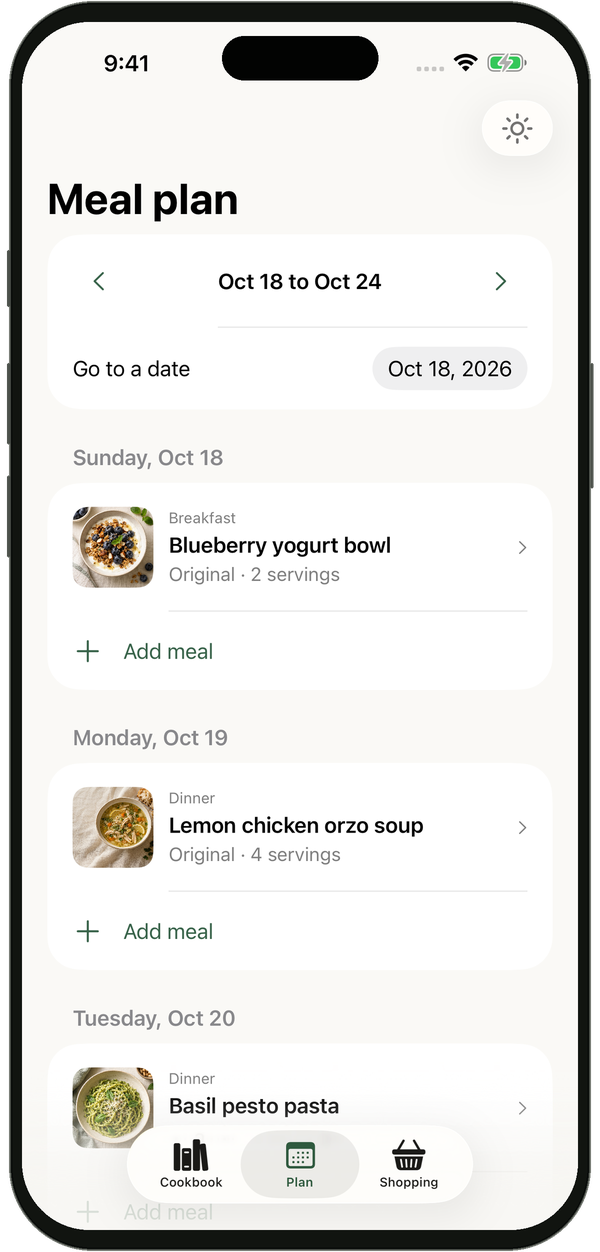 A good week starts with something good to cook.
 GOOD FOOD. YOUR WAY.
Keep the good ones
Some recipes
become part of you.
The soup for rainy Sundays. The thing you bring to every dinner. The recipe that finally tastes just right.
Give them a home you’ll want to come back to.
At home offline
Saved recipes, notes, planning, shopping and cooking stay within reach without a connection.
Yours to keep
Export a portable cookbook backup. No ads or analytics in the app.
A few kitchen questions
Good to know.
What can I save in Saltpaper?
Import recipes from supported websites, scan a printed page or photo, or write your own. Keep photos, named versions, typed or handwritten notes, and collections. Some websites limit importing, so scanning and manual entry are useful alternatives.
Does it work without the internet?
Your saved cookbook, notes, meal plan, pantry, shopping list and cooking tools work offline. Importing websites, recipe assistance and optional iCloud features need a connection.
Will my changes replace the original?
No. The imported original stays saved. Keep your changes as a named version, so you can try something different and still find your way back.
How does recipe assistance work?
With your permission, Saltpaper uses OpenAI to tidy ingredient names and preparation notes. When you ask for a substitution or adjustment, the selected recipe text, your request and cooking preferences are also shared. You review suggested changes before saving. Recipe photos and handwritten drawings are excluded from these requests. See our privacy policy.
Which devices does Saltpaper support?
Saltpaper is made for iPhone running iOS 26 or later. You don’t need to create a Saltpaper account to use the local cookbook.

Your next favorite starts here
A little more you.
In every recipe.
Download Saltpaper for iPhone Recipes, made yours.